
POS and billing features
Everything behind the counter.
Every feature here works in the app today, on iPhone and Android phones, iPad, Android tablets and Mac (MacBook, iMac and Mac mini). No separate till, cash register, EPOS or billing software needed.
Download your free point of sale (POS) software:



Point of sale
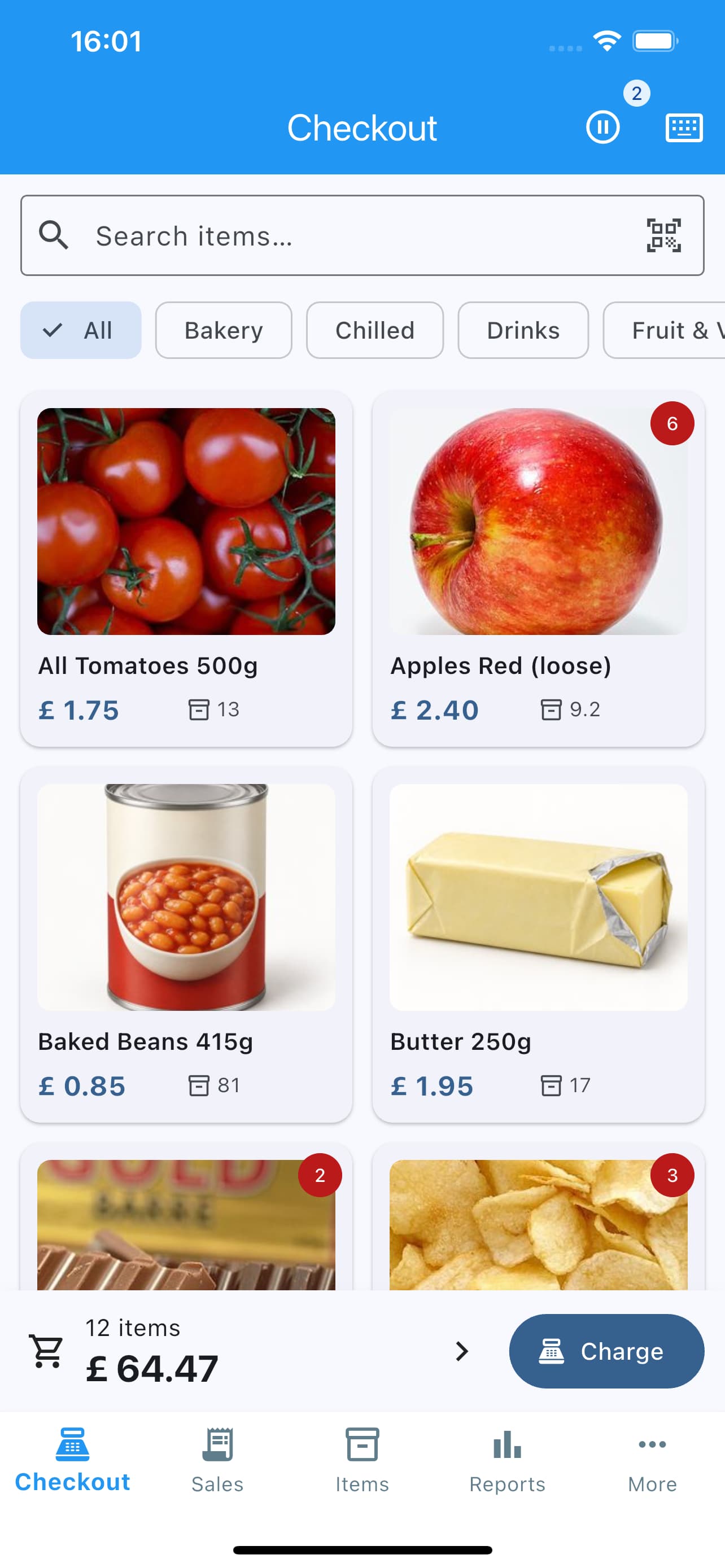
Fast checkout
Tap picture tiles or search; scan barcodes with the camera or a USB or Bluetooth scanner.
Cash, card, QR or split
Change due on screen and optional cash rounding. Card payments are taken on your own card terminal and recorded in Shop POS.
Receipts
Print to a Bluetooth or USB receipt printer (58, 80 or 112mm) or as A4, or email or share a PDF.
Held sales and orders
Hold a sale and finish it later, and see what's unpaid or waiting to be collected.
Discounts
Line and basket discounts and price overrides at checkout.
Promotions and price listsPro
Time-limited offers by item or category, trade price lists and quantity-break prices.
Weighed and open-price itemsPro
Price per kg for loose goods, or type the price at checkout.
Cafés and takeaways
Sizes, extras and modifiers
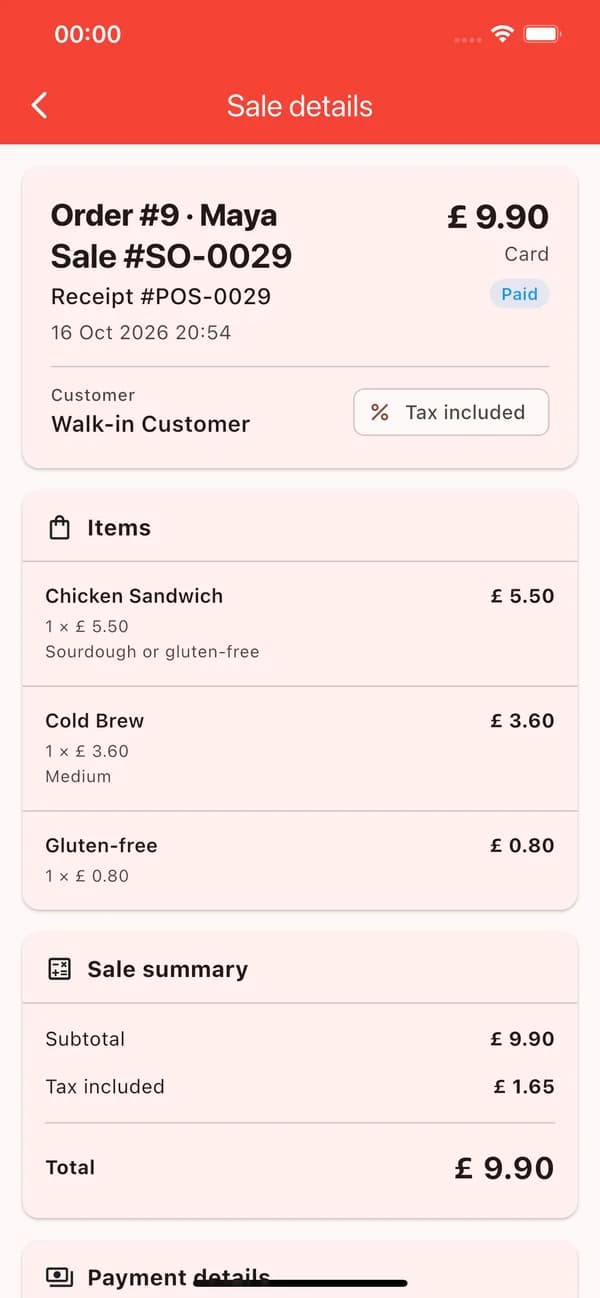
Small or large, oat milk, an extra shot: options with their own prices, required or optional.
Meal deals
A main, a side and a drink at one price, with stock taken from each item.
Order numbers and names
A daily order number and the customer's name, printed large on the receipt to call orders.
Kitchen tickets and notes
Print a ticket with the items, extras and notes, without prices, for whoever makes the order.
Stock
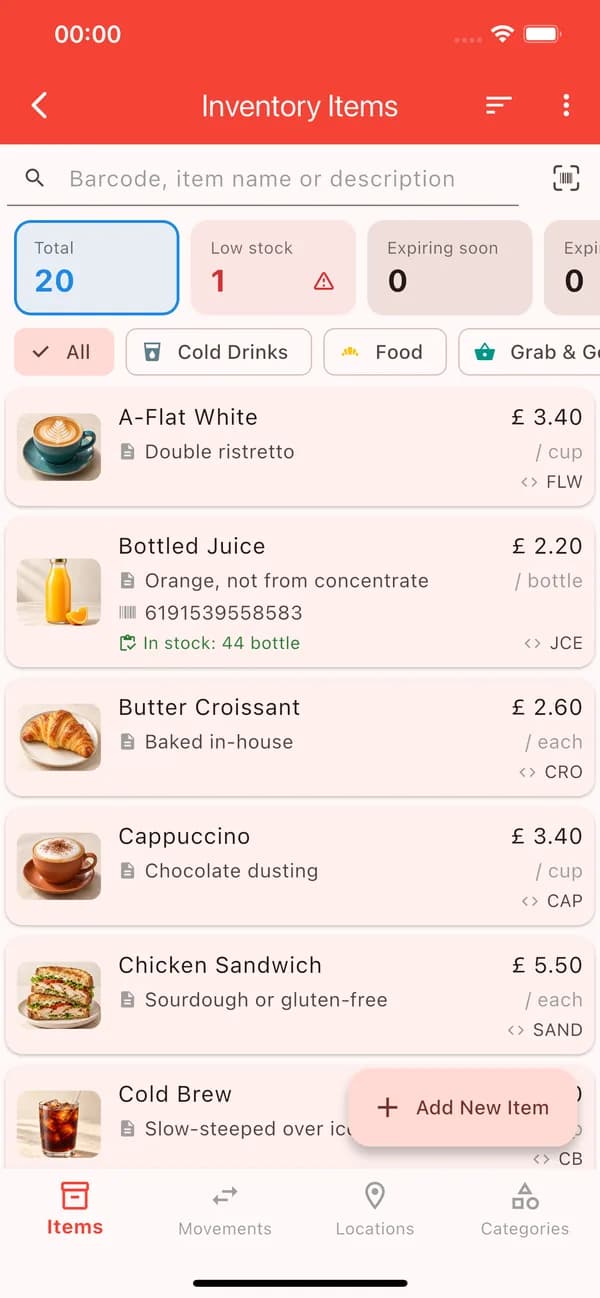
Stock levels and alerts
Stock updates with every sale, with a low-stock view and reorder levels.
Sizes and colours
Variants with their own SKU, barcode and stock.
Barcodes and labels
Create barcodes for your own items and print or share shelf labels with name and price.
Batches and expiry dates
Track lots with dates and see what's expiring soon.
Purchase orders
Order from suppliers and receive deliveries into stock.
Stock across locationsPro
Shop floor and stockroom: see stock in each and move it between them.
Money and reports
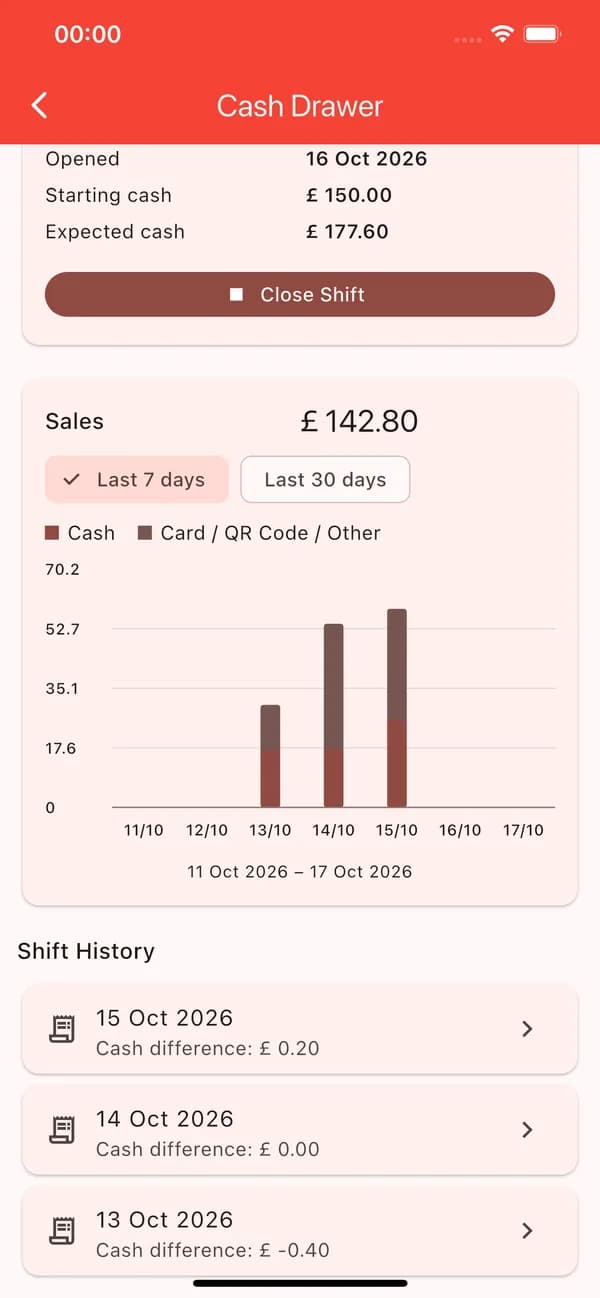
Cash drawer shifts
Open with a float, close with a count and an end-of-day Z-report.
Returns and refunds
Full or partial returns: refund to the original payment, restock the item, or give a customer store credit.
Customers
Searchable sales and customer history, and store credit for named customers.
Tax and profit & loss
Tax-inclusive or exclusive prices for VAT, GST or sales tax; tax, profit & loss and sales reports with PDF export.
Bills and expenses
Record supplier bills and running costs so profit is real profit.
CSV and Excel exportsPro
Export reports and data for your accountant.
Everyday
Works offline
No account to create; your data lives on your device.
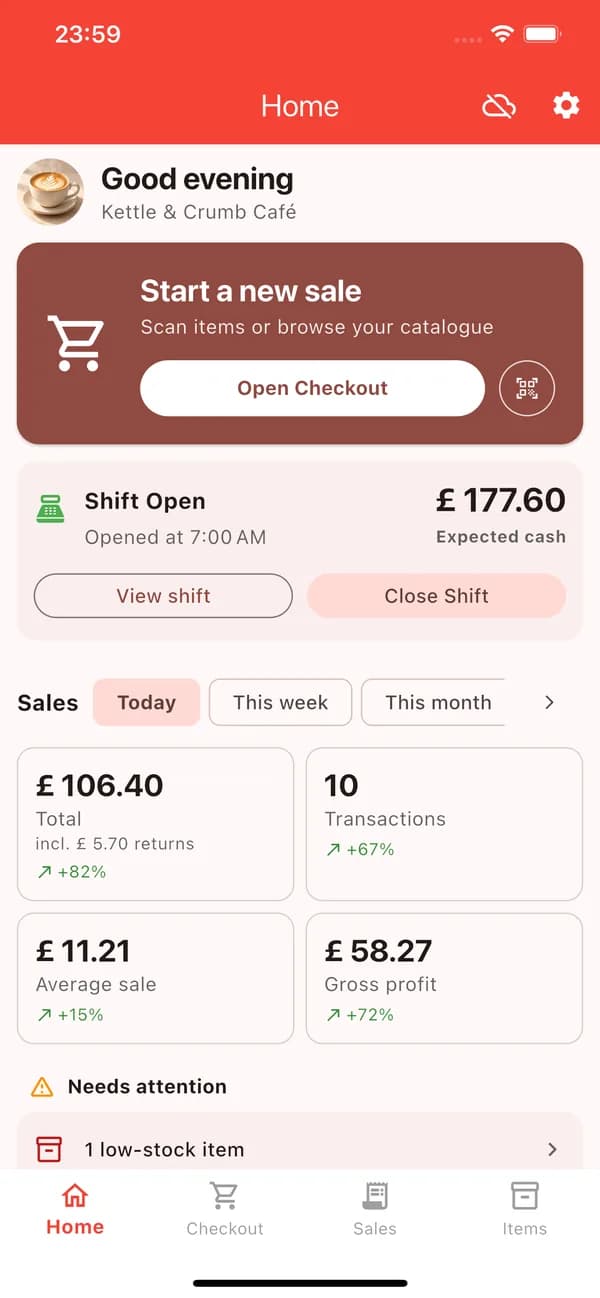
Today at a glance
Sales, the open shift, low-stock and expiring items on the Home screen.
Google Drive backup
Encrypted backups to your own Google Drive.
Restore and Cloud SyncPro
Restore on a new device, or keep your own devices up to date, one at a time.
App Lock
Lock the app with a PIN, Face ID or fingerprint.
Staff modePro
A separate staff PIN: staff sell, but need yours for refunds, voids and big discounts.
26 languages
The app speaks your staff's language, with your currency and date format.
Keyboard shortcuts
Counter shortcuts on tablets and Macs with a keyboard.
Works with your counter hardware
Use the devices you have, or get a bundle tested with Shop POS.
Receipt and kitchen printers
Bluetooth and USB thermal printers (ESC/POS), 58, 80 or 112mm.
Barcode scanners
The camera, or a USB or Bluetooth scanner that types like a keyboard.
Cash drawer
Open each shift with a float; close it with a count and a Z-report.
Card terminals
Take card payments on your SumUp, Dojo, Square, Zettle or other reader, then record them in Shop POS.
Free and Pro
Download Shop POS free and sell as much as you like. Pro removes the limits and adds the features marked Pro.
Free
- Unlimited sales
- Up to 100 products and 100 customers
- 20 receipts or documents a month (print, share, email or save)
- 20 stock movements a month (sales still update stock)
- Sales, tax and profit & loss reports with PDF export
- Google Drive backup and App Lock
Pro
- Unlimited products, customers, receipts and stock movements
- Promotions, price lists and quantity-break prices
- Weighed and open-price items
- Stock across locations
- Staff mode
- CSV and Excel exports
- Restore backups and Cloud Sync between your own devices
- Receipts without the “Powered by Shop POS” line
A lifetime Pro licence comes with every bundle. You can also upgrade in the app: monthly, yearly or a one-time purchase.
See bundlesNot in the app yet
Named staff accounts, several tills selling at once with shared live data, card-reader integration, tips, table plans, kitchen display screens, loyalty points and gift cards are not available today.